A dark room can make a bright television feel harsh, especially during long movie nights. LED backlight strips add a soft glow behind the screen, creating a small pool of light on the wall. They do not improve the TV’s resolution or change the picture itself. The benefit is visual comfort and atmosphere. In some setups, gentle bias lighting may make perceived contrast feel more balanced. Results depend on wall color, brightness, and viewing conditions. The effect is subtle.
So, what does led backlight strips do on tv? In simple terms, the LEDs illuminate the area behind the display, either with a steady color or changing effects. Basic strips use a remote or app; advanced kits may react to on-screen colors through a camera or HDMI sync box. These systems differ in accuracy, installation effort, and cost. A camera can be affected by reflections, while an HDMI kit may not support every source or format. Small details matter.
This guide compares five LED backlight strips for TVs, focusing on brightness control, color quality, mounting, compatibility, and everyday ease of use. It also explains what to check before buying, including screen size, USB power, cable length, and whether the strip can be trimmed. Product claims do not always match real-room performance. A flashy demo may look better than a strip installed behind a textured wall. Choose for your room, not just the box.
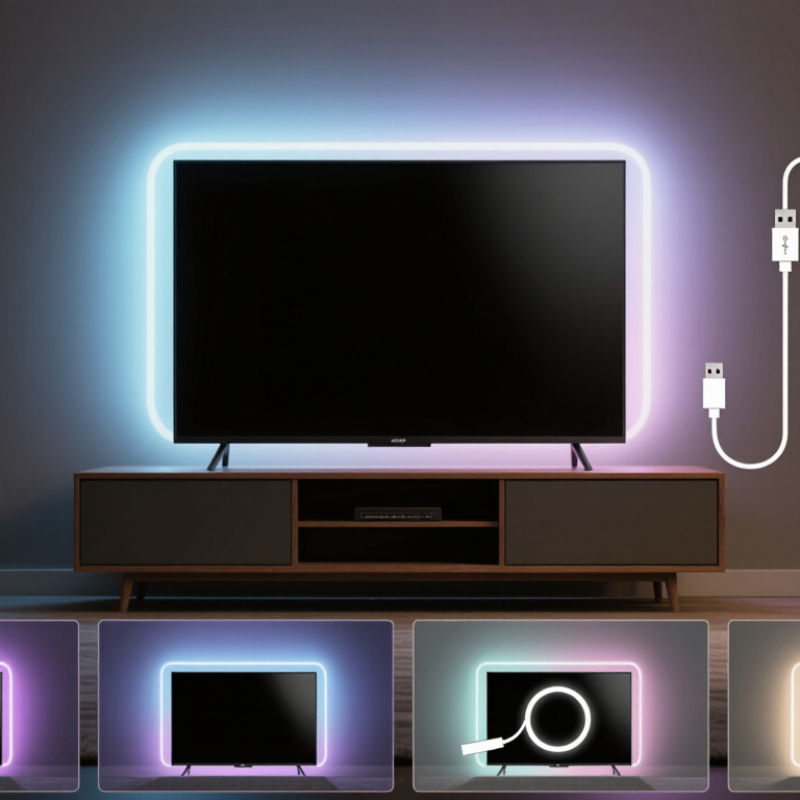
What LED Backlight Strips for TVs Are and How They Work
LED backlight strips are flexible rows of small lights placed on the rear of a television. They shine onto the wall, rather than lighting the screen itself. The result is a soft glow around the TV that can make a bright picture feel less harsh in a dark room. It may also make the screen seem more distinct from its surroundings, though it does not improve the TV’s resolution or picture quality.
Most strips attach with adhesive and connect to a USB port or a separate power adapter. Basic versions show one steady color or let you select colors with a remote. More advanced systems adjust their light to match the image on screen, using a camera, an HDMI signal, or another controller. Setup varies. Check the strip length, power needs, and TV placement before sticking it on; peeling and repositioning can weaken the adhesive.
The wall matters, too. A pale, matte surface usually reflects light more evenly than a dark or glossy one. Keep the strip close to the TV’s edges, and avoid sharp bends around corners. Subtle brightness often works better than vivid light, especially when watching at night. Too much glow can distract from the picture. And it is easy to overlook cable routing; a dangling wire can spoil an otherwise tidy setup.
TV LED Backlight Strip Length by Screen Size
LED backlight strips are installed around the rear edges of a TV to create indirect ambient light.
The chart shows the calculated perimeter of common 16:9 screen sizes.
Values are calculated from the dimensions of a 16:9 display using its diagonal measurement.
The actual strip length required may be slightly longer because of corners, installation gaps, and connector placement.
How TV Backlighting Can Improve Viewing Comfort and Ambience
TV backlighting adds a soft glow behind the screen, reducing the harsh contrast between a bright image and a dark wall. This can make evening viewing feel easier on the eyes, especially during darker films or gaming sessions. It does not improve vision, and it cannot replace proper room lighting. Comfort varies from person to person.
A well-positioned LED strip should sit near the television’s rear edges, without shining directly into the viewer’s eyes. Neutral white light often preserves picture accuracy better than strong colored effects. Excessive brightness can distract you and weaken the screen’s contrast. I once preferred vivid colors, but they became tiring after longer viewing. That small mistake changed my setup.
Tips: Choose adjustable brightness and a stable color temperature. Keep the strip hidden from direct view. Test it for thirty minutes before deciding. Avoid placing lights where cables bend sharply or block ventilation. If flickering appears, stop using the strip and check its power connection. A subtle glow usually creates a calmer atmosphere than dramatic lighting.
Key Features to Compare When Choosing a TV LED Strip
When comparing TV LED strips, check brightness, color accuracy, length, and control options—not just the number of LEDs. A strip should reach around the screen without sharp bends, with enough slack near corners and the power connection. Measure the TV first. Look for adjustable brightness and smooth dimming; a strip that is too bright can distract in a dark room. Color consistency matters too: uneven whites may appear as blue or pink patches on a pale wall. For credible energy context, the U.S. Department of Energy’s LED lighting guidance reports that LEDs use at least 75% less energy and can last up to 25 times longer than incandescent bulbs. Those figures describe LEDs generally, not a direct comparison of TV strips.
Check how the strip connects and responds before buying. USB-powered models are convenient, but confirm the TV’s port supplies enough power; otherwise, lights may flicker or fail to reach full brightness. App, remote, and button controls each have trade-offs. Some strips sync colors with on-screen action, while others use a camera or microphone. Sync can feel immersive, but it may also overreact to a bright scene. Check supported screen sizes, cable routing, and whether colors can be adjusted manually. Published brightness figures are not always directly comparable across products, so look for clear measurement units and test the light against your actual wall color. A small sample matters.
Five LED Backlight Strips for TVs Worth Considering
Five LED Backlight Strips for TVs Worth Considering
A TV backlight reduces the harsh contrast between a bright screen and a dark wall. It can also make colors appear more comfortable during evening viewing. The U.S. Department of Energy’s Solid-State Lighting R&D Opportunities report notes that advanced LED packages can exceed 200 lumens per watt under laboratory conditions. Strip systems perform lower, because controllers, coatings, and power supplies waste energy.
A warm-white strip suits news, sports, and ordinary television. RGB strips offer adjustable colors for films or gaming. Addressable RGB strips create moving color zones, but they need careful cable management. Camera-based strips copy screen colors without HDMI access. They are easy to add, though reflections can confuse the camera. HDMI-sync systems usually deliver cleaner timing and stronger immersion. They cost more.
Check five details before buying: measured strip length, USB or adapter power, adhesive quality, brightness control, and heat near the panel. ENERGY STAR’s television guidance reports that certified models use about 25% less energy than conventional models, so the backlight should not erase that advantage. Keep brightness moderate. Very bright lighting may look impressive for ten minutes, then become tiring. A practical mistake is placing the strip too close to the screen edge; uneven halos often appear. Mount it behind the rear frame, leaving a small, consistent gap. Calibration remains personal, and manufacturer brightness claims are not always comparable.
How to Install and Set Up a TV LED Backlight Strip
Installing a TV LED backlight strip is easier when the screen is clean and the layout is measured. Unplug the television, then wipe its rear panel with a dry microfiber cloth. Measure the four edges before removing the adhesive backing. Leave a small gap near corners instead of bending the strip sharply. Tight turns can damage the light circuits.
Start at the power connection point and work around the screen. Press each section firmly for several seconds. Do not cover ventilation openings or block wall mounts. Many strips use USB power, but the television may not supply enough current. Check the strip’s voltage and power requirements in its manual. A separate certified adapter may provide steadier brightness.
My first installation looked tidy, but one corner lifted after a day. The panel had collected dust. I would now test the strip before attaching it permanently. Turn on every color mode and inspect for dark sections, flicker, or loose connections. The controller should remain accessible, especially if it uses a remote or mobile setup. Set brightness below maximum in a dark room. It reduces eye strain and often looks more natural behind the screen. Colors may still feel imperfect. Adjust them against a neutral wall, not a colorful one. Never cut the strip unless its instructions show marked cutting points.
Conclusion
LED backlight strips for TVs are flexible light bars placed behind the screen to create a soft glow around its edges. But what does led backlight strips do on tv? They can reduce the contrast between a bright screen and a dark room, helping make viewing feel more comfortable while also adding atmosphere to movies, games, and everyday entertainment. Some systems can adjust brightness, color, and lighting effects to match different moods or on-screen content.
This guide explains how TV backlighting works and the main features to compare before choosing a strip, including screen-size compatibility, brightness control, color options, installation method, power requirements, and smart control functions. It also introduces five types of LED backlight strips worth considering for different viewing preferences and budgets. Finally, the article provides practical setup guidance, covering measurement, placement, attachment, cable management, and basic testing so the lighting remains even, secure, and easy to use.

 Junhengtai Electronic