Can You Cut Govee TV Backlight LED Strips 5 Tips?

Time:2026-10-27 Author:Liam
0%

Can you cut govee tv backlight led strips? The short answer depends on your exact Govee model. Some strips include marked cutting points, while others rely on fixed lengths, signal paths, or integrated sensors. Cutting in the wrong place can leave dark sections, disable color effects, or prevent the controller from recognizing the strip. That small mistake can become an expensive one.

This guide examines five practical tips before you reach for scissors. We will look at the printed cut marks, strip measurements, connector compatibility, power requirements, and warranty guidance. Measure the television first. A flexible strip should follow the rear edge without sharp folds or exposed adhesive. Unplug the controller before handling it. Never cut near a camera module, control box, or unmarked section.

Govee’s official instructions should remain your strongest reference because models differ. A common RGBIC strip may not behave like a simpler RGB strip after modification. I have found that online demonstrations can look convincing, yet they often skip model numbers and connector details. That is a weakness worth noticing.

Check twice.

The goal is not merely a shorter strip. It is a safe, even installation that preserves lighting effects and avoids unnecessary waste. If your model does not clearly support cutting, extending, or reconnecting, replacing the strip may be more reliable. The following tips will help you judge the risk carefully and make a better-informed decision before modifying your TV backlight.
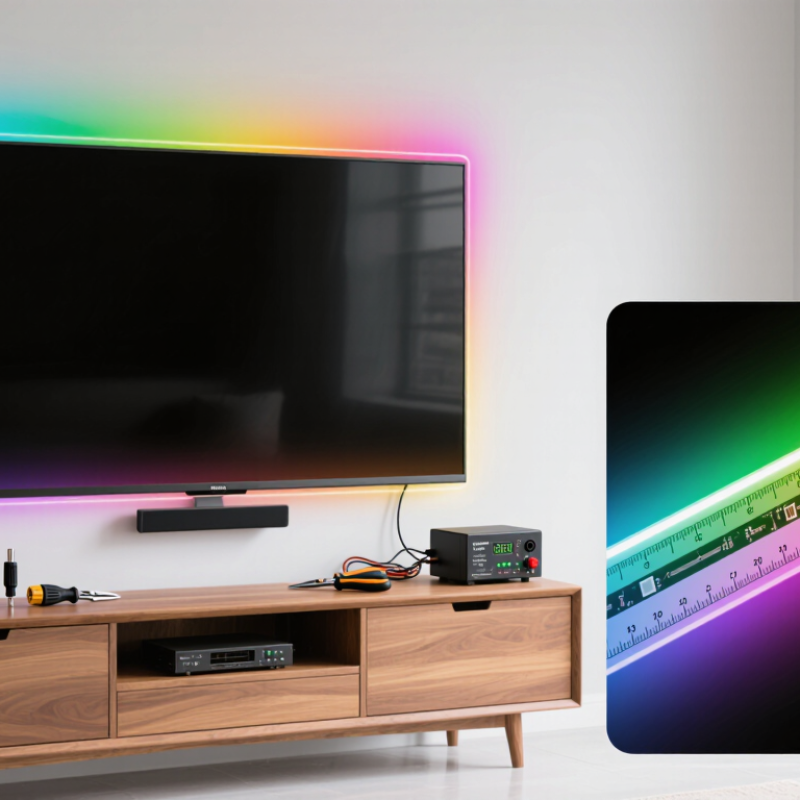
Can You Cut Govee TV Backlight LED Strips 5 Tips?

What to Know Before Cutting Govee TV Backlight LED Strips

Before Cutting a TV Backlight LED Strip

Cutting a TV backlight LED strip can work, but only at its marked cut lines. These lines usually appear between copper pads, often every few inches. Cutting elsewhere can interrupt the circuit and leave the remaining section dark. Disconnect the power adapter first. Never cut while the strip is energized.

Check the voltage and polarity before reconnecting any shortened section. A compatible connector or careful soldering may be required. Exposed copper pads should remain clean and insulated after installation. Heat, sharp bends, and trapped sections behind the television can damage the strip. The U.S. Department of Energy reports that LED lighting uses up to 75% less energy than incandescent lighting and can last about 25 times longer. That efficiency does not make a damaged strip safe or reliable.

Measure twice. Cut once.

Industry installation guidance also stresses heat control and electrical separation. The International Energy Agency identifies efficient LED adoption as an important route to reducing lighting electricity demand. However, small decorative strips still need correct current control. A common mistake is cutting a leftover piece and assuming it will light independently. It may need its original controller or a matching power connection. I have seen neat-looking installations fail because the cut point was guessed, not measured. The instructions may seem obvious, but photographs of the actual strip are worth checking before making the first cut.

How to Identify Safe Cutting Points on the LED Strip

Before cutting a television backlight strip, unplug the power adapter completely. Most flexible LED strips contain repeating sections with copper contact pads. Safe cutting points usually appear between these sections, often beside a printed scissor symbol or thin cut line. Do not guess. Cutting through an LED, resistor, or circuit trace can disable the remaining strip.

Examine both sides under bright light. The marked line should cross the copper pads cleanly and sit between two lighting modules. Measure the television first, then mark the strip with a pencil before making one straight cut. I once cut a few millimeters too close to an LED, and that small error made the next section unreliable. A sharp pair of electronics scissors gives better control than household shears.

After cutting, inspect the edge for loose copper strands or damaged coating. Some strips have silicone protection, which may need careful trimming without scraping the circuit. Connect the remaining piece only after checking its polarity and connector direction. Test a short section before mounting everything behind the screen. If the strip lights unevenly, flickers, or stays dark, the cut may have crossed a conductive path. Recheck the marked points rather than forcing the connector. The instructions can be unclear. Take photos before altering the strip, especially when the printed markings are faint.

Five Tips for Measuring and Cutting the Strip Correctly

Can You Cut TV Backlight LED Strips? Five Tips for Measuring and Cutting Correctly

Yes, but only at the printed cut marks. Measure the TV’s rear perimeter, not the screen itself. Leave a small gap near ports, vents, and corners. Measure twice. A common mistake is measuring each side separately, then forgetting connector space. Add a modest allowance, usually 5–10 centimeters, if the installation guide permits it. Do not force the strip around sharp corners. Gentle curves protect the copper tracks.

Power off before cutting. Cut straight through the marked copper pads with sharp scissors. Preserve the controller-side end, because some strips follow a fixed signal direction. Never cut between unmarked LEDs. For addressable designs, one careless cut can disable the remaining section. Expose the copper only where the specified connector fits. Seal unused ends against dust and accidental contact. Check the voltage and power rating before reconnecting anything.

Keep the strip on a clean, dry surface. The U.S. Department of Energy’s 2023 solid-state lighting report states that LEDs use at least 75% less energy and can last up to 25 times longer than incandescent lamps. That efficiency still depends on proper installation and heat control. I prefer testing the full strip before trimming it. It feels slower, but it catches dead sections early. Recheck the final length visually; perfect measurements can still look uneven behind a curved television.

How to Reconnect and Test a Cut Govee LED Strip

Can You Cut Govee TV Backlight LED Strips 5 Tips? The harder question is reconnecting the cut section correctly. Always unplug the power adapter before touching the strip. Cut only along the printed scissor line, where copper pads are visible. Cutting between sections can interrupt the circuit permanently. Not every strip is repairable.

After cutting, examine both ends under bright light. Remove loose silicone carefully, without scratching the copper pads. Match the positive and negative markings exactly. A soldered connection usually provides better contact than clip connectors. Keep the strip flat while soldering, and use only a small amount of heat. Cover the joint with heat-shrink tubing or electrical insulation. Exposed copper can cause unstable lighting or accidental contact. My first repair looked neat but flickered because one pad had not bonded fully.

Testing should happen in short stages. Connect the repaired strip to its controller before mounting it behind the screen. Set the brightness low and select a steady white color. Watch for dark sections, flashing LEDs, or unusual warmth. Gently move the joint while testing, but never pull the strip. If the light cuts out, disconnect power and inspect the polarity and solder flow. A multimeter can help verify continuity, though it cannot confirm every LED is healthy. Leave the repaired area accessible until several minutes of stable operation have passed.

Can You Cut LED Strip Lights? Five Tips to Reconnect and Test Them

The chart shows a practical five-step test sequence for a cut low-voltage LED strip. Always cut only at marked copper pads, match the positive and negative terminals, and verify the strip voltage with a multimeter before reconnecting power. A stable reading close to the strip’s rated voltage and continuity across the repaired joint indicate a properly reconnected section.

Common Cutting Mistakes and Safer Alternatives

Cutting TV Backlight LED Strips: Common Mistakes and Safer Alternatives

Cutting a TV backlight strip is possible only at its marked cutting points. These points usually appear as copper pads or small scissor symbols. Cutting anywhere else can interrupt the circuit and leave part of the strip dark.

Never cut while the strip is powered. Unplug the controller first, then measure the TV edges twice. A one-centimeter mistake can create an awkward gap.

Many users cut too much, expecting the remaining section to work independently. That often fails because some strips need specific connectors, controllers, or power paths. Cutting through a light section may also expose conductive material. This creates a safety concern when the strip is handled or placed behind the television.

Keep scissors straight and avoid crushing the strip. It is tempting to trim quickly, but rushed work causes most installation problems.

A safer alternative is choosing a shorter strip before installation. You can also coil a small excess section behind the television, provided it does not cover vents or become sharply bent.

For marked sections, use compatible clip connectors rather than twisting wires together. Check the product instructions because cutting rules differ between models.

I once assumed every strip used identical cutting points; that assumption was wrong.

When the layout does not fit, replacing the strip is usually safer than forcing a repair. Test the lights briefly before final mounting.

FAQS

How can I find a safe cutting point on an LED strip?

Look for a printed scissor symbol or thin line between repeating sections. The line should cross the copper pads cleanly. Do not cut through an LED, resistor, or circuit trace.

What should I do before cutting a television backlight strip?

Unplug the power adapter completely. Measure the television and mark the strip with a pencil. Use bright light to inspect both sides. Do not guess.

Which cutting tool gives the cleanest result?

Use sharp electronics scissors for better control. Make one straight cut across the marked line. Household shears may crush the strip or damage its coating.

What should I inspect after cutting?

Check for loose copper strands, torn coating, or scratched silicone. Trim protective silicone carefully around the contact pads. A small defect can cause unstable lighting.

How should I reconnect the separated strip sections?

Match the positive and negative markings exactly. Check the connector direction before applying power. Soldering often creates stronger contact than clip connectors. Keep the strip flat while soldering.

How can I protect a soldered joint?

Cover the joint with heat-shrink tubing or electrical insulation. Do not leave copper exposed. Use only a small amount of heat. Too much heat may damage nearby components.

How should I test the repaired LED strip?

Connect it before mounting the strip behind the screen. Use low brightness and a steady white setting. Watch for dark sections, flickering, flashing, or unusual warmth. Test briefly.

What should I do if the repaired section flickers or stays dark?

Disconnect power and inspect polarity, solder flow, and the marked cut point. Gently move the joint without pulling the strip. A multimeter can check continuity, but it cannot prove every LED works. The instructions may be unclear. Recheck slowly.

Conclusion

Before cutting, confirm the strip’s design, voltage, controller connection, and warranty conditions. The question “can you cut govee tv backlight led strips” depends on whether the strip includes clearly marked cut lines and copper contact points. Never cut through LEDs, wiring, connectors, or unmarked sections. Measure the television carefully, plan the layout, and leave enough length to reach the controller without stretching or placing stress on the adhesive backing.

Use sharp scissors or a suitable cutting tool, and make one clean cut directly along a designated line. After cutting, reconnect the remaining section only with a compatible connector or properly insulated soldered connection, then test it with the power disconnected before mounting it permanently. Common problems include cutting at the wrong location, reversing the connection, creating loose contacts, and expecting every separated piece to work independently. If the strip has no clear cutting marks or the instructions are uncertain, choosing a shorter compatible strip is the safer alternative.


Liam

Liam

Liam is a dedicated marketing professional with a profound expertise in the industry, where he excels at highlighting the unique advantages of our core products. With a keen understanding of market trends and consumer needs, Liam frequently updates our company’s professional blog, providing......