10 LED TV Buying Tips for Global Buyers?

Time:2026-10-05 Author:Oliver
0%

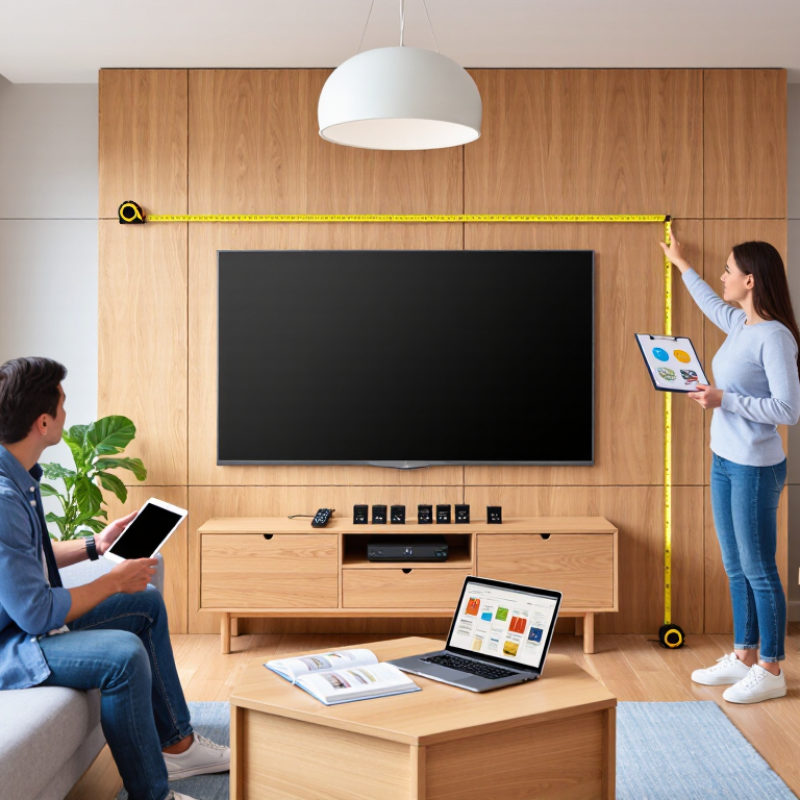
Buying an LED TV across borders involves more than choosing the largest screen or the lowest price. Room size, viewing distance, voltage compatibility, broadcast standards, warranty coverage, and delivery conditions can change the value dramatically. A 55-inch model may feel balanced in a compact apartment, while a 75-inch screen could dominate a small room. Measure the wall first.

As display analyst Paul Gray has observed, “Picture quality is only one part of the buying decision.” That reminder matters for global buyers. Brightness, contrast, refresh rate, HDR support, smart-TV software, and input latency should match your daily use. A sports viewer may prioritize smooth motion. A film enthusiast may care more about black levels and accurate colors. Gamers should inspect HDMI 2.1 features rather than trust a large marketing label.

This guide presents ten practical LED TV buying tips for international shoppers. It considers regional model numbers, plug types, language settings, app availability, panel technology, and after-sales support. Some specifications remain confusing, even for experienced buyers. Manufacturers do not always describe performance in comparable ways. That is a weakness worth acknowledging.

Look beyond the showroom glow. Compare independent measurements, read the full warranty terms, and check return procedures before payment. A cheaper imported LED TV can become expensive after shipping, taxes, or repair delays. Local support may matter more than a slightly brighter panel. Small details decide ownership. This guide aims to make those details visible, while recognizing that no single LED TV suits every country, room, budget, or viewing habit.
10 LED TV Buying Tips for Global Buyers?

LED TV Fundamentals: 4K Resolution, HDR10’s 10-Bit Color, and Mini-LED

LED TV Fundamentals: 4K Resolution, HDR10’s 10-Bit Color, and Mini-LED

A 4K television displays about 8.3 million pixels, creating sharper edges and finer textures. From a normal sofa distance, the improvement is clearest on larger screens. However, 4K alone does not guarantee a better picture. Low-quality broadcasts can still look soft, even on a premium panel. Check whether the television accepts your preferred streaming, gaming, and broadcast formats.

Tips: Use a 4K test video with leaves, hair, and subtitles. Look for clean details without artificial sharpening. Also measure your viewing distance before choosing a screen size. Bigger is not always better in a small room.

HDR10 sends brightness and color information using 10-bit precision, allowing smoother gradients across skies, shadows, and skin tones. Some panels use 8-bit hardware with frame-rate control, which may look acceptable but is not identical to native 10-bit output. Ask for panel specifications, not only HDR support. A bright screen also matters, because weak brightness can make HDR appear ordinary. I have found showroom settings misleading; they often hide shadow crushing and excessive color saturation.

Mini-LED backlighting uses many small light sources and local dimming zones. This can improve contrast while preserving bright highlights. Yet blooming may appear around white subtitles on dark scenes. More zones usually help, but they do not remove every limitation. Inspect dark movie scenes in a dim room. Check viewing angles, too. A television can look impressive head-on and disappointing from a side seat.

Choose Screen Size with SMPTE’s Recommended 30° Viewing-Angle Standard

10 LED TV Buying Tips for Global Buyers

Screen size should match your viewing distance, not only your room’s wall space. SMPTE’s 30° viewing-angle recommendation offers a useful starting point for comfortable, immersive viewing. Measure from your seated eye position to the screen center. Then choose a screen that fills roughly 30 degrees of your horizontal vision.

For a 16:9 display, a practical estimate is about 1.6 times the screen’s diagonal distance. For example, a viewing distance near 2.4 meters may suit a screen around 60 inches. This is guidance, not a strict rule. Personal comfort, eyesight, subtitles, and room layout still matter. I have found that an oversized screen can make fast scenes feel tiring, especially from a close sofa. Bigger is not always better.

Tips: Sit in your usual position before buying. Mark the screen width on the wall with removable tape. Watch a familiar scene for ten minutes. Check whether your eyes move naturally across the image. Consider higher resolution when choosing a larger screen, because visible detail depends on both size and distance. Recheck your measurement after moving furniture. Small errors can change the experience.

10 LED TV Buying Tips for Global Buyers: Choose Screen Size with SMPTE’s Recommended 30° Viewing Angle

This chart shows the approximate viewing distance needed for different 16:9 LED TV sizes to provide a 30° horizontal viewing angle, a commonly used SMPTE reference for an immersive viewing experience. The distances are calculated from the screen width and the 30° angle standard; room layout, resolution, content type, and personal preference should also be considered.

Compare Brightness, Contrast, Color Gamut, and HDR Performance

10 LED TV Buying Tips for Global Buyers

Brightness is not a single number. Check both peak and sustained brightness. The VESA DisplayHDR specification defines tiers from 400 to 1,400 nits. A bright shop floor can hide weak real-world performance. For a sunny room, 600 nits may feel safer than 400. In a dark room, excessive brightness can cause eye fatigue. Contrast matters more at night.

Ask whether the panel uses local dimming, then inspect dark subtitles beside white stars. Poor dimming can create halos around bright objects. Native contrast is also important, because software cannot fully repair gray-looking blacks.

I once trusted a peak figure alone. That was a mistake.

Color gamut needs context. ITU-R BT.2020 defines a very wide reference gamut, covering about 75.8% of the CIE 1931 color space. Many televisions cover only part of it. Request measured DCI-P3 coverage, not marketing language.

Around 90% or higher is useful for modern HDR content, but accuracy still matters. Oversaturated grass is not realistic color. Look for independent Delta E measurements after calibration.

HDR performance depends on tone mapping, not brightness alone. Compare a sunset, a candle, and a shadowed face. Check whether highlights remain detailed instead of turning white.

Viewing angles, reflections, power use, and regional broadcast standards deserve attention too.

Ten checks sound excessive. They are not, although test conditions remain imperfect.

Evaluate Gaming Features: HDMI 2.1, 48 Gbps Bandwidth, and 4K/120Hz

When evaluating an LED TV for gaming, inspect the HDMI specifications rather than trusting “gaming” language. A genuine HDMI 2.1 connection can support 4K resolution at 120Hz, provided the source and cable meet the same standard. Look for 48 Gbps bandwidth, because lower throughput may limit color depth or refresh performance. During testing, a 4K/120Hz signal should remain stable through fast camera movement and bright particle effects. Check every port. Some displays offer full performance on only one input, frustrating households with several devices. Variable refresh rate reduces tearing, while automatic low-latency mode can shorten controller-to-screen delay. These features matter more than exaggerated contrast claims.

Use a certified ultra-high-speed cable and confirm the console or graphics card output settings. A 48 Gbps label alone does not guarantee real-world 4K/120Hz operation. Menus may silently switch to 60Hz after enabling high color depth or HDR. Check the input information panel while a game is running, not only the manual. Watch for black screens, flicker, and dropped signals during longer sessions. Those small faults often appear after heat builds. Response time also deserves measurement; advertised figures may use conditions unlike normal gameplay. Record resolution, HDR status, cable length, and active features. My own checks are not perfect. Room lighting, firmware changes, and different games can alter impressions, especially across regional TV models.

Check Global Compatibility: DVB/ATSC Tuners, 100–240V Power, and Energy Labels

When buying an LED TV abroad, check the built-in tuner before comparing screen size. DVB-T2 is common in many regions, while ATSC standards serve the United States, Canada, and other markets. These systems are not interchangeable. A television with the wrong tuner may display streaming services but miss local broadcast channels.

Read the specification sheet carefully. Ask whether it supports DVB-T, DVB-T2, ATSC 1.0, or ATSC 3.0. Cable and satellite reception may require separate equipment. In installation checks, I have seen buyers assume “digital tuner” means universal compatibility. It does not. Confirm the exact country and broadcast system where the television will operate.

Power details deserve equal attention. A 100–240V input usually supports different household voltages, but the plug shape, frequency, and safety certification still matter. Check the label on the power supply, not only the online advertisement. Energy labels also vary by region. Compare energy use in standard, HDR, and standby modes. HDR can consume noticeably more power. I once underestimated standby consumption in a small apartment. That was a useful mistake, but an avoidable one. Keep the local energy label and current efficiency requirements beside the product specifications.

10 LED TV Buying Tips for Global Buyers? - Check Global Compatibility: DVB/ATSC Tuners, 100–240V Power, and Energy Labels
No. Buying Dimension What to Check Relevant Facts and Regional Examples Buyer Action
1 Terrestrial tuner standard Confirm that the television includes the digital terrestrial tuner used in the destination country. A TV designed for one broadcast standard may not decode another standard without an external receiver. DVB-T/T2: widely used in Europe, Australia, parts of Africa and Asia.
ATSC: used primarily in the United States, Canada, Mexico and South Korea.
ISDB-T: used in Japan and several Latin American markets.
Match the tuner specification with the local terrestrial standard before purchase.
2 ATSC generation If buying for an ATSC market, check whether the set supports ATSC 1.0, ATSC 3.0, or both. ATSC 3.0 is not automatically supported by every ATSC television. ATSC 1.0 remains widely used. ATSC 3.0 deployments are market-specific and may offer features such as internet-enabled broadcasting, but service availability varies by location. Verify the exact tuner type and local channel availability, not just the phrase “digital tuner.”
3 Cable and satellite reception A built-in terrestrial tuner does not necessarily support cable or satellite services. Cable systems can use different delivery and encryption methods, while satellite reception normally requires a dedicated receiver or service box. DVB-C is associated with digital cable in many DVB regions; DVB-S/S2 is used for satellite reception. Compatibility still depends on the operator, conditional access system and subscription equipment. Ask the service provider whether a separate set-top box, CI/CI+ module or smart card is required.
4 Input voltage and frequency Check the electrical rating printed on the TV or power adapter. A rating of 100–240 V AC, 50/60 Hz generally supports a wide range of household power systems, but the plug shape may still differ. Household supplies commonly include approximately 100–127 V or 220–240 V, with 50 Hz or 60 Hz depending on the country. Voltage compatibility does not guarantee plug compatibility. Choose a matching plug or a certified plug adapter; do not use a simple plug adapter to correct incompatible voltage.
5 Energy label and test basis Compare the stated energy consumption using the same unit and test basis. Look for annual or per-1,000-hour consumption, screen size, picture mode and whether high dynamic range operation is listed separately. The European Union TV energy label uses efficiency classes from A to G and reports energy consumption per 1,000 hours for standard dynamic range and, where applicable, high dynamic range. Compare kWh figures alongside the efficiency class rather than relying on the class alone.
6 Screen size and viewing distance Select the size according to room layout, viewing distance and personal comfort. A larger screen is not automatically better if seating is very close or the content has low resolution. Viewing comfort depends on resolution, content quality, eyesight and individual preference. Measure the available wall or stand width and allow space for ventilation. Measure the room and furniture before ordering; check the complete stand width, not only the diagonal screen size.
7 Resolution and content sources Match the panel resolution with the content and viewing distance. Ultra-high-definition televisions commonly use 3840 × 2160 pixels, while Full HD uses 1920 × 1080 pixels. Broadcast resolution varies by country and service. Streaming and disc services may offer different resolutions, and higher-resolution content requires sufficient internet bandwidth or a compatible source device. Check the resolution of local broadcasts, streaming services, game consoles and external players you plan to use.
8 HDMI and video features Count the required HDMI inputs and verify the features needed by your devices, such as 4K signal support, HDR formats, audio return channel and low-latency gaming functions. Feature support can differ between HDMI ports on the same TV. HDMI eARC is designed for higher-bandwidth audio return than standard ARC, while gaming refresh-rate support depends on both the TV and source device. Use the technical manual to identify which specific HDMI port supports each required function.
9 Smart TV network compatibility Check supported Wi-Fi bands, wired Ethernet, operating-system language options and the availability of required applications in the destination country. Streaming catalogs, applications, content rights and privacy requirements can vary by country. A TV purchased abroad may not provide the same app selection or voice features after relocation. Confirm that the intended streaming services are officially available in the destination market.
10 Warranty, service and documentation International warranty coverage is not automatic. Check where repairs are performed, whether replacement parts are available, which languages are supported and whether the manual includes local safety information. Warranty terms, consumer protections, return periods and electrical certification requirements are governed by the selling and destination jurisdictions and may differ substantially. Obtain written confirmation of warranty coverage, return conditions and service availability before importing the TV.

FAQS

Why should gamers check HDMI specifications instead of marketing claims?

HDMI 2.1 can support 4K at 120Hz when the source and cable match. Gaming labels alone prove little.

What does 48 Gbps bandwidth affect during gameplay?

It helps carry 4K/120Hz signals with higher color depth and HDR. Lower bandwidth may force compromises. Check the active signal information.

How can I test whether 4K/120Hz works properly?

Run a game with fast camera movement and bright particle effects. Watch for flicker, black screens, or dropped signals. Test for longer sessions, too.

Do all HDMI ports usually provide the same gaming performance?

No. Some televisions provide full performance through only one input. Check every port before connecting several devices. This detail is easy to miss.

What cable and settings are needed for reliable high-refresh gaming?

Use a certified ultra-high-speed cable and confirm the output settings. A 48 Gbps label does not guarantee perfect operation. Menus can silently return to 60Hz.

Which features can reduce visible gaming delays or image tearing?

Variable refresh rate can reduce tearing. Automatic low-latency mode may shorten controller-to-screen delay. They matter more than dramatic contrast promises.

How should I check television compatibility in another country?

Confirm the exact broadcast tuner, such as DVB-T2 or ATSC. These systems are not interchangeable. Streaming may work while local channels remain unavailable.

What power and energy details should international buyers inspect?

A 100–240V input may support different household voltages. Still check the plug shape, frequency, and safety certification. Compare standard, HDR, and standby energy use. HDR can consume noticeably more power.

Conclusion

Buying an LED TV for global use requires more than choosing the largest screen. Start by understanding core technologies such as 4K resolution, HDR10 with 10-bit color depth, and Mini-LED backlighting, which can improve detail, color accuracy, brightness, and local contrast. Choose a screen size that suits your room and seating distance, using the SMPTE recommendation of an approximately 30-degree viewing angle as a practical guide. Then compare measured brightness, contrast, color gamut, and real HDR performance rather than relying only on promotional claims.

For gaming, check for HDMI 2.1, sufficient 48 Gbps bandwidth, and support for 4K at 120Hz, along with responsive input performance. International buyers should also confirm that the built-in tuner supports the television standards used in their region, such as DVB or ATSC. Finally, verify 100–240V power compatibility, plug requirements, energy labels, warranty coverage, and operating-language options. A careful comparison of these factors can help you select an LED TV that delivers strong picture quality, smooth performance, and dependable worldwide usability.


Oliver

Oliver

Oliver is a seasoned marketing professional with a wealth of expertise in driving brand awareness and engagement. With a deep understanding of our company's product offerings, he consistently delivers high-quality content that enriches our professional blog. His insights not only shed light on......